
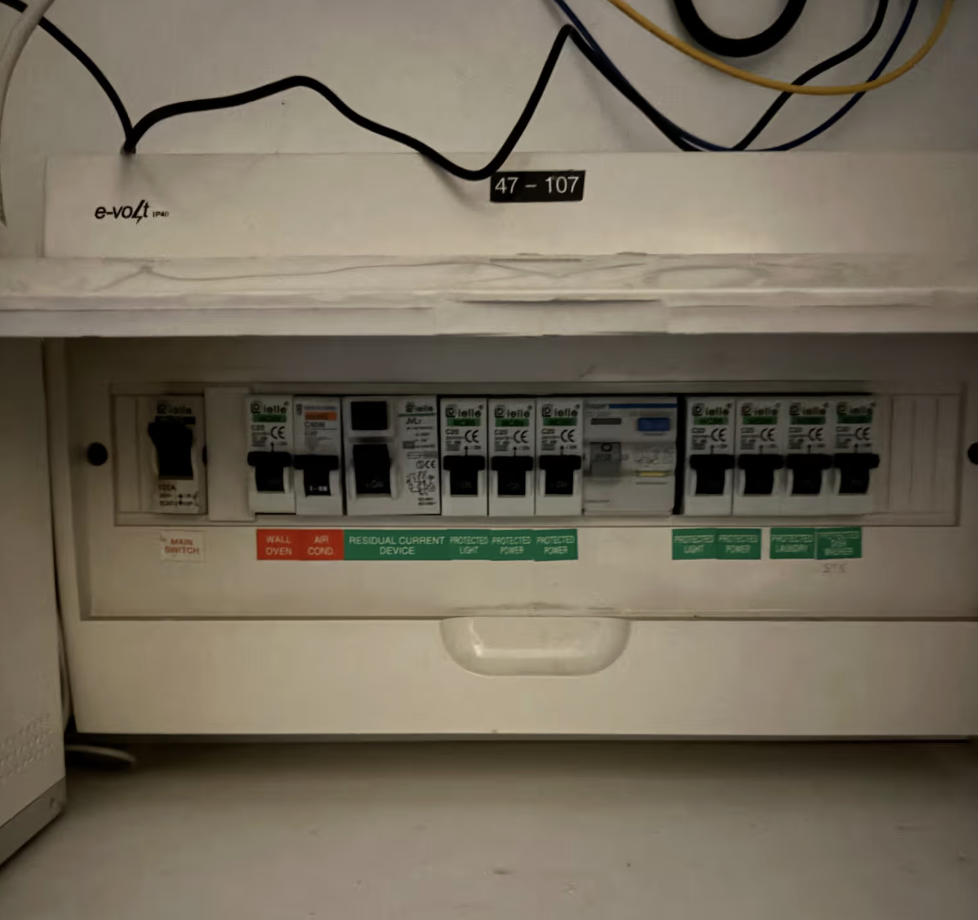
An RCD that won’t reset almost always gets blamed on the switchboard. In our experience fault-finding these calls across the Hills District and Hawkesbury, the switchboard is rarely the problem — it’s usually something plugged into it.
We had a call-out that proved it. A Rouse Hill customer lost power to a large section of their apartment overnight when their RCD started tripping and wouldn’t hold. They called our team at 1am — our AI-based call handling took the details there and then, so a licensed electrician had the full picture before the truck left the driveway the next morning.
What we actually found on site
First thing that morning, we isolated the affected circuit and worked through it methodically. The RCD itself was fine. The switchboard wiring was fine. The fault was a dishwasher with a failing element leaking current to earth — enough to trip the RCD every time the wash cycle drew load.
We unplugged the dishwasher, reset the RCD, and power was restored immediately across the whole apartment. We advised the customer to have the dishwasher repaired or replaced before reconnecting it, and left the circuit safe in the meantime.
Why this matters: RCD tripping usually isn’t a wiring fault
An RCD (residual current device) is designed to detect current leaking somewhere it shouldn’t — through a person, through damaged insulation, through a failing appliance — and cut power in under 40 milliseconds. That’s the entire job of the device, and it doesn’t distinguish between “your wiring has a problem” and “your dishwasher has a problem.” It just trips.
Most homeowners assume a tripping RCD means the switchboard needs work. In our experience, appliances are the more common cause — particularly older dishwashers, washing machines, and anything with a heating element that’s starting to fail. The appliance draws normal current on the active and neutral, but a small amount leaks to earth through the fault, and the RCD does exactly what it’s supposed to do.
This is worth knowing because the instinct in the moment is to keep flicking the switch back on. That’s the wrong move. Repeatedly resetting a tripping RCD without finding the cause can mask a genuine wiring fault sitting behind the appliance fault, and it delays a real safety issue from being found. The right first step is simple: unplug what’s on that circuit, then try the reset.
Every final subcircuit in a residential installation in NSW is required to have RCD protection at 30 mA under AS/NZS 3000:2018 Clause 2.6.3.2.2 — that’s the standard SEG works to on every board we touch. The RCD tripping is the system working as designed. The job is finding what triggered it, not overriding it.
What to do if your RCD won’t reset
- Unplug every appliance on the affected circuit (check your switchboard labelling — if it’s not labelled clearly, that’s worth fixing too).
- Reset the RCD with everything unplugged. If it holds, plug appliances back in one at a time until it trips again — that appliance is your fault.
- If it still won’t reset with the circuit clear, don’t keep resetting it. The fault is in the fixed wiring and needs a licensed electrician to isolate and test it properly.
- Never bypass or hold down an RCD to keep power on. If it’s tripping, something is leaking current — finding out what matters more than restoring power quickly.
Same job, same visit: under-cupboard lighting
While we were on site, the customer also asked us to look at their under-cupboard kitchen lighting, which had been playing up. We diagnosed two failed LED drivers and one failed LED globe, sourced the parts, and returned the same day to complete the repair — power restored and the kitchen lighting sorted in one visit.
Get it fault-found properly
If your RCD is tripping and won’t hold in Rouse Hill, Castle Hill, Kellyville, or anywhere across the Hills District and Hawkesbury, don’t keep resetting it. SEG (NSW Electrical Contractor Licence 344815C) fault-finds tripping RCDs and switchboard issues across the region — read more about our switchboard services here or call 1300 993 560 to get it looked at properly.